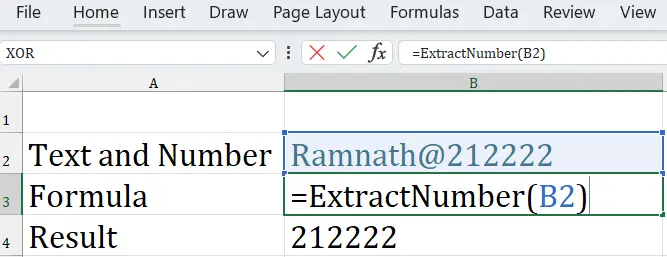
Step 1: Download the file and save it in C:\Users\DELL\AppData\Roaming\Microsoft\AddIns.
Download File : Click me and Follow the last step, which is mentioned, and highlighted below
Step 1 : Copy the Following Code
Option Explicit

' ExtractNumber: Extracts all digits and decimal points from text
Function ExtractNumber(inputText As String) As String
    Dim i As Long, ch As String, result As String
    result = ""

    For i = 1 To Len(inputText)
        ch = Mid(inputText, i, 1)
        If ch Like "[0-9.]" Then
            result = result & ch
        End If
    Next i

    ExtractNumber = Trim(result)
End Function

' ExtractText: Removes all digits, returns only non-numeric characters
Function ExtractText(inputText As String) As String
    Dim i As Long, ch As String, result As String
    result = ""

    For i = 1 To Len(inputText)
        ch = Mid(inputText, i, 1)
        If Not ch Like "[0-9]" Then
            result = result & ch
        End If
    Next i

    ExtractText = Trim(result)
End Function
Step 2 : Press ALT + F11 to open the VBA Editor.
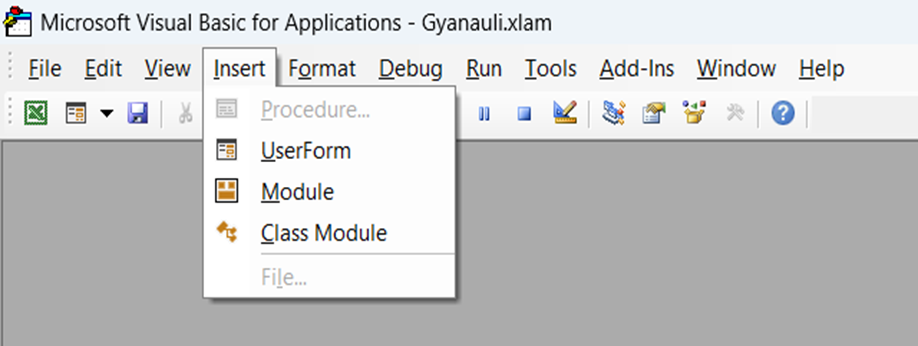
Step 3: Go to Insert > Module and paste the above code.
Save it as an Excel Add-In:
- File > Save As
- Select file type as Excel Add-In (*.xlam)
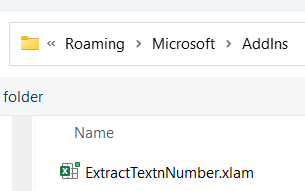
- File Name : ExtractTextnNumber.xlam
- Final Step :
- Excel > File > Options > Add-Ins > Manage: Excel Add-ins > Go…
- Browse and select your ExtractTextnNumber.xlam file.
Usage in Excel: